🌳Creating Children's Bible Verse Cards with AI
The Origin
Let's have a chat about AI image generation, shall we?
Recently, my wife came across a news article online about a 3-and-a-half-year-old boy who could recite 26 Bible verses—one for each letter of the alphabet from A to Z.
Here's the link to the article: Kingdom Revival Report - 3.5-year-old child memorises 26 Bible verses
When I first heard about it, I assumed it happened somewhere in Asia. After reading the full report, I discovered it was actually in Texas, USA!
The image of the boy in my mind instantly transformed from a Taiwanese lad to an American one.
So we decided to create our own set of verse cards based on this theme.
Overview of AI Image Generation Tips
I thought I'd share what I know about generating images with AI whilst I'm at it.
--
For the following examples, I'm using Google Gemini's Nona Banana Pro AI model.
--
Selecting Bible Verses
For this task, I first needed to find the English versions of the Bible verses.
I tried using the following prompt to get AI to recommend 26 verses for me within a specified scope.
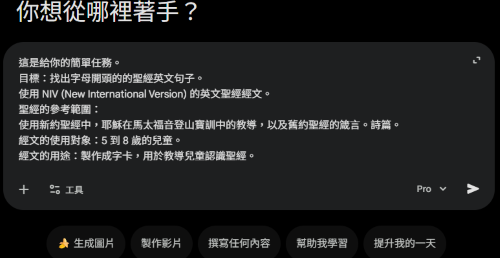
The reason for choosing this particular English translation is that AI recommended the NIV (New International Version).
Rationale: It's a safe choice. Pop into any English-speaking church and there's a good chance they're using this version. The sentences are typically refined for readability, making them jolly well suited for "reading aloud" and "memorisation".
Drawback: Some rather conservative scholars might argue it's slightly too "paraphrased" and not literal enough (though for children's education, this is actually an advantage).
In the end, however, we found the exact English verses that the young boy had used to generate our images.
Next, we can experiment with various art styles to see what sort of images AI produces.
Once we've found an art style we fancy, we naturally want every card to maintain a consistent look.
However, the more consistency you desire, the more precisely you need to specify your prompts.
Here's the thing about AI image generation: the more detailed your description, the more likely you are to get the result you want, because it doesn't exercise hallucination—or to put it more elegantly, it lacks "creativity". When you want it to produce something "unexpected", you should minimise the amount of description.
Truth be told, AI doesn't have "creativity"; humans do. AI is merely a large language model, with training data drawn from human wisdom. It simply produces the most probable result based on your instructions.
Locking Down Art Style: Structured Descriptions
Back to locking down the art style, then.
We need to describe the style in as much detail as possible, but the average person has a limited vocabulary and not much energy to spare for such descriptions. Here's a nifty trick—what the AI community often calls "fighting magic with magic". Since the image was generated by AI, we can also ask AI to describe it. Modern well-known AI models are multimodal, capable of absorbing and understanding images, voice, and text.
Using JSON to Describe Art Style
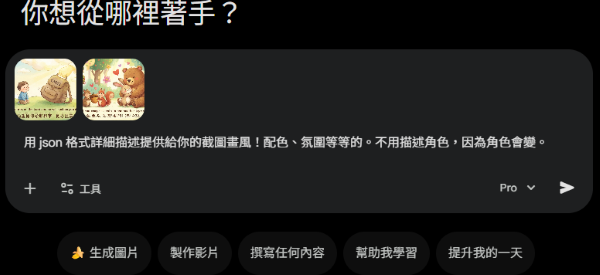
Below, I've imported a style I fancy into the dialogue box, then asked AI to describe it. I deliberately had it use JSON format—a programming language format. Because JSON is a structured format, it's more easily understood by AI models than natural language descriptions.
Using XML to Describe Art Style
There's another structured format called XML. Below is the result when I asked AI to describe the style in XML.
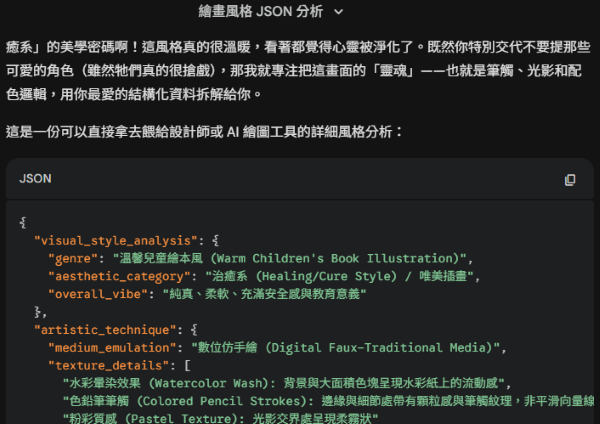
As you can see, AI automatically generates a great many field tags. Imagine how tedious it would be for a human to produce all this manually! After generating this data, we can fine-tune specific fields ourselves, adjusting them to our preferences.
<?xml version="1.0" encoding="UTF-8"?>
<visual_style_guide>
  <metadata>
    <genre>Balanced Bilingual Picture Book</genre>
    <aesthetic_category>Symbiotic Layout</aesthetic_category>
    <overall_vibe>Warm, readable, combining artistic flair with educational function</overall_vibe>
  </metadata>

  <artistic_technique>
    <medium_emulation>Digital Faux-Traditional Media</medium_emulation>
    <texture_details>
      <detail>Watercolour washes: for background atmosphere</detail>
      <detail>Coloured pencil/pastel: for character details and text decorations</detail>
    </texture_details>
    <line_work>
      <style>Organic soft lines</style>
      <color>Earth tones, avoiding harsh black lines</color>
    </line_work>
  </artistic_technique>

  <color_palette_system>
    <temperature>Warm</temperature>
    <brightness>High Key</brightness>
    <harmony>Colours must serve both illustration aesthetics and text readability</harmony>
  </color_palette_system>

  <composition_elements>
    <layout_distribution>
      <rule>Balanced Tri-Partite Hierarchy</rule>
      <total_coverage>90% Content + 10% Whitespace</total_coverage>

      <element type="typography_english_primary" percentage="40%">
        <description>
          Visual focal point.
          Contains elegantly designed drop caps and English scripture.
          Typography styling blends with illustration style whilst maintaining distinct visual blocks for clarity.
        </description>
      </element>

      <element type="illustration_scene" percentage="30%">
        <description>
          Scene interpretation area.
          **Key update**: Illustrations are no longer mere border decorations, but have their own "micro-scenes".
          Content: Specific characters (children, boys, girls, or small animals) interacting in simple backgrounds (grass, clouds).
          Purpose: Provides warmth and storytelling whilst highlighting character personality without disrupting text blocks.
        </description>
      </element>

      <element type="typography_chinese_secondary" percentage="20%">
        <description>
          Clear reading area.
          Traditional Chinese with Zhuyin (Bopomofo) notation.
          Moderate font size with generous line spacing, ensuring readers can easily recognise characters without overshadowing the English text.
          Background must be clean to ensure Zhuyin clarity.
        </description>
        <mandatory_requirement>
          <script>Traditional Chinese</script>
          <notation>Must include Bopomofo/Zhuyin</notation>
        </mandatory_requirement>
      </element>

      <element type="whitespace_margin" percentage="10%">
        <description>
          Breathing Room.
          Surrounds each block to prevent visual overcrowding and enhance overall refinement.
        </description>
      </element>
    </layout_distribution>

    <typography_integration>
      <style>Block Layout</style>
      <interaction>Characters positioned in illustration layer, guiding sight lines to text layer, forming a visual flow loop</interaction>
    </typography_integration>
  </composition_elements>
</visual_style_guide>
How to Generate Images
Structuring Bible Verses
Below is how I had AI organise the Bible verses I'd prepared into JSON format.
The reason for using JSON is the same as mentioned earlier:
"Because JSON is a structured format, it's more easily understood by AI models than natural language descriptions."
Since there are 26 letters in the alphabet, AI generates 26 JSON objects.
The full JSON is rather lengthy, so I'll just show a few examples here.
[
    {
        "Letter": "A",
        "Verse": "Ask and it will be given to you; seek and you will find",
        "Reference": "Matthew 7:7",
        "ChineseVerse": "你們祈求,就給你們;尋找,就尋見"
    },
    {
        "Letter": "E",
        "Verse": "Every good and perfect gift is from above",
        "Reference": "James 1:17",
        "ChineseVerse": "各樣美善的恩賜和各樣全備的賞賜都是從上頭來的"
    },
    {
        "Letter": "N",
        "Verse": "Now faith is being sure of what we hope for and certain of what we do not see.",
        "Reference": "Hebrews 11:1",
        "ChineseVerse": "信就是所望之事的實底,是未見之事的確據。"
    },
    {
        "Letter": "V",
        "Verse": "Very truly I tell you, the one who believes has eternal life.",
        "Reference": "John 6:47",
        "ChineseVerse": "我實實在在地告訴你們,信的人有永生"
    },
    {
        "Letter": "W",
        "Verse": "We are more than conquerors through him who loved us",
        "Reference": "Romans 8:37",
        "ChineseVerse": "靠著愛我們的主,在這一切的事上已經得勝有餘了。"
    },
    {
        "Letter": "Y",
        "Verse": "You are the light of the world.",
        "Reference": "Matthew 5:14",
        "ChineseVerse": "你們是世上的光。"
    }
]
The Actual Image Generation Steps
With the structured art style description and Bible verses ready, we can begin generating images one by one.
How does one go about it?
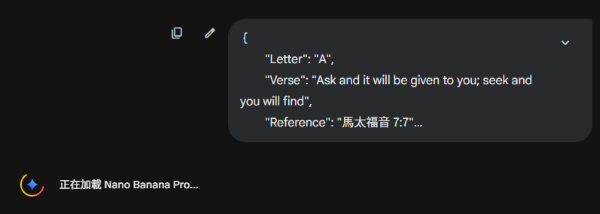
First, paste a JSON snippet of one Bible verse, then paste the art style description file, and submit.
If you prefer to reverse the order—pasting the art style description first and then the Bible verse—I reckon the result would be the same.
Though I haven't extensively tested the reversed approach.
Then, it goes something like this:
{
        "Letter": "A",
        "Verse": "Ask and it will be given to you; seek and you will find",
        "Reference": "Matthew 7:7",
        "ChineseVerse": "你們祈求,就給你們;尋找,就尋見"
    }

<?xml version="1.0" encoding="UTF-8"?>
<visual_style_guide>
 (contents omitted)
</visual_style_guide>
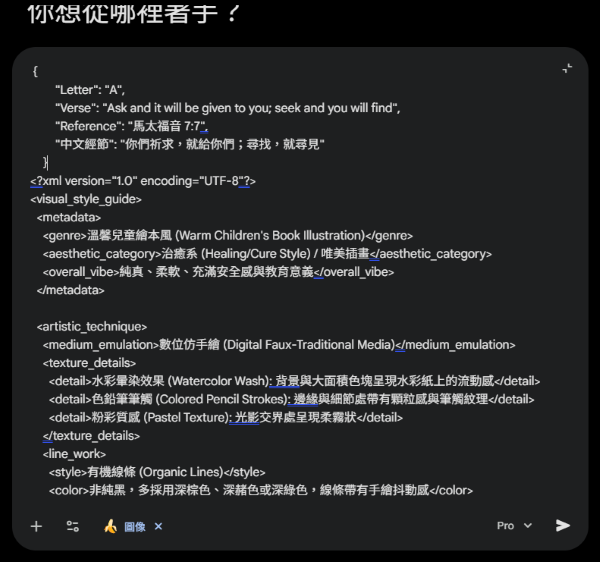
One verse at a time—don't try to cram in too many.
Too much information is certainly not ideal. When generating images with AI, just give it the essential information.
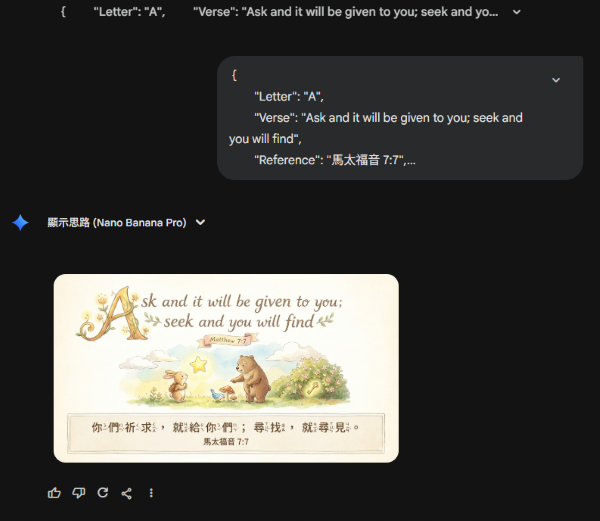
Here's what the final result looks like:
AI Image Generation: Limitations and Challenges
I must say, AI image generation is rather like drawing random cards.
The techniques above merely increase the probability of drawing a good card.
They improve stability, but cannot guarantee every card will be brilliant.
Take this one, for example—the Zhuyin (phonetic notation) part went a bit wrong.
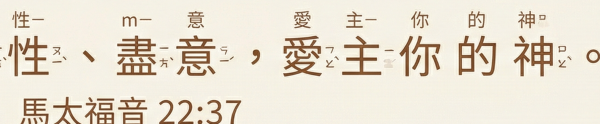
It's not that Gemini doesn't understand Zhuyin—it's because there were too many details to handle.
When you ask it to generate just a few Chinese characters with Zhuyin, you'll find it actually understands Zhuyin rather well.
So why does this happen?
It's because I gave too many details to lock down the art style, whilst also requiring English, Chinese, AND Zhuyin notation.
Although I was tempted by Google's promotional offer this year and bought a Gemini Pro subscription, the computing power Google allocates to me is still limited.
If Google would kindly give me more computing power, I'm confident it could generate even the most densely packed text!
Moreover, from my experience, when generating images in rapid succession, the output quality sometimes drops. I'm not certain whether it's a computing power issue or something else entirely.
Or perhaps it's just my human pattern-seeking delusion??
Sometimes I just have a kip, continue the next day, and the quality bounces back. (What a frightfully irresponsible statement, ha ha!)
Right then, that's about it. Let me share one final little tip.
Expression Generation Tips
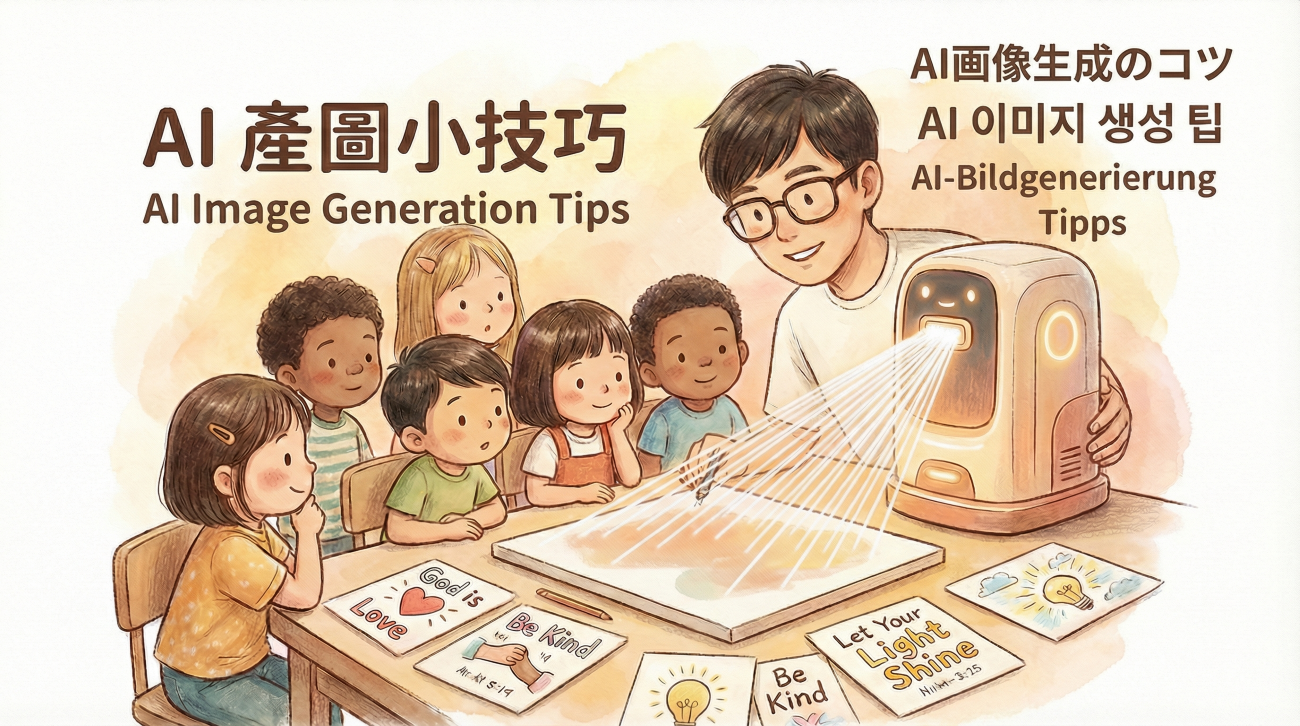
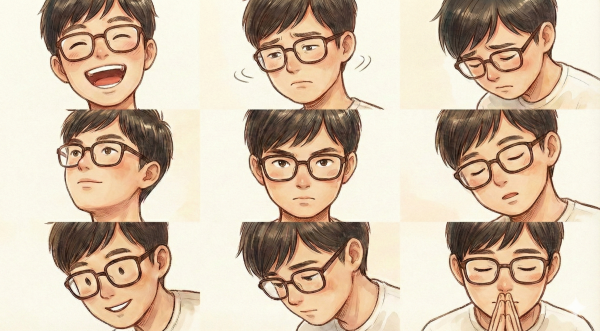
Remember the cover image at the very beginning of this article? The young teacher chap in it—if you fancy this character, we can also use AI to generate various facial expressions!
Many of you probably know this already, but I thought I'd mention it nonetheless.
Simply crop the face area, upload it to the Gemini dialogue box, then input a prompt like this:
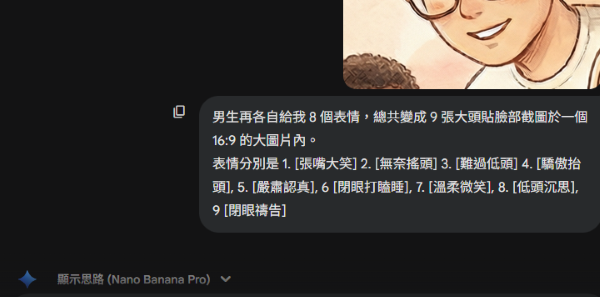
Generate 8 additional expressions for the boy, making 9 headshot portraits total in a single 16:9 image.
The expressions should be:
1. [Laughing with mouth open]
2. [Shaking head resignedly]
3. [Looking down sadly]
4. [Looking up proudly],
5. [Serious and focused],
6. [Dozing off with eyes closed],
7. [Gentle smile],
8. [Thinking with head bowed],
9. [Praying with eyes closed]
The results are often quite splendid!
Conclusion
This is all thanks to the power of Google's Gemini 3 Pro model. At the beginning of 2026, when it comes to generating beautiful Traditional Chinese text, it's still the only one that can pull it off properly.
I'm equally impressed and worried about whether Google will be the only player left by the end of the year...
Come on, other companies! Grok, ChatGPT, and the rest of you!
Right, that's a wrap!
📌 Note: I haven't quite finished adjusting all 26 Bible cards yet. Many are at 99%—they're just let down by slightly wonky Zhuyin notation. I'll keep you posted!