A De-identification Web Tool For Your Privacy
CovenantPromptKey
GitHub Pages (Live Site)
https://bod3612272.github.io/CovenantPromptKey/
📖 Overview
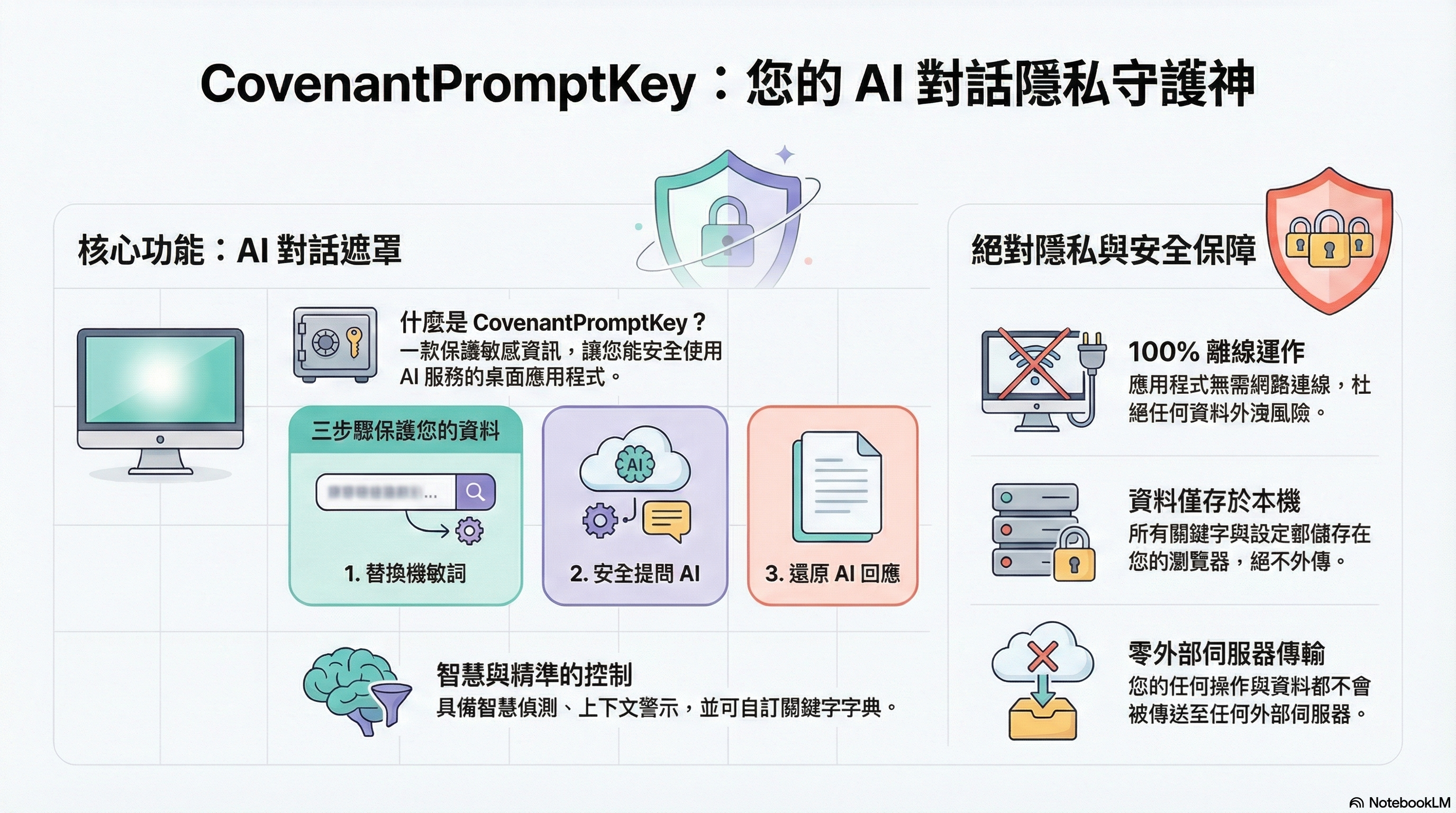
CovenantPromptKey is a web application designed specifically to protect sensitive information, enabling you to safely mask confidential content when using AI services. Through an intuitive keyword mapping system, you can replace company names, product codes, personal information, and other sensitive data with secure alternative terms. After receiving AI responses, you can restore the alternative terms back to the original sensitive content.
Additionally, this application integrates a Bible Search System that provides Scripture search, reading, and interactive game features.
Hosting Model (WebAssembly-first, Dual-hosting)
- Primary (browser-hosted / Blazor WebAssembly): Can be deployed as pure static assets (GitHub Pages / Azure Static Web Apps) and supports offline-first (can be launched offline after successfully loading once).
- Legacy fallback (Blazor Server): Maintains existing Server hosting for compatibility and fallback; currently both versions maintain feature parity, but future development will focus primarily on the Web (WASM) version.
PWA / Service Worker Notes (Update behaviour)
This project's browser-hosted version (GitHub Pages / Azure SWA) uses Service Worker for offline-first support; therefore, browsers may temporarily reuse cached assets when the deployment environment updates.
- Development environment (localhost): Service Worker is not registered by default, and attempts to clear existing registrations/caches to avoid false positives of "no updates."
- Deployment environment (e.g., GitHub Pages): If you encounter outdated versions, first close all tabs and reopen; if still not working, perform a Hard Refresh (Ctrl+F5) or clear that site's Site Data.
✨ Features
🔐 Interactive Keyword Replacement Interface
- Smart Keyword Detection: Uses the efficient Aho-Corasick algorithm for multi-pattern string matching
- Three-Column Interactive Layout: Original text / Control panel / Result area, supporting real-time visual highlighting
- Precise Control: Selectively check keywords to replace while avoiding unwanted modifications
- Contextual Warnings: Automatically detects and displays warnings for replacements that may break Chinese word combinations
- Dictionary Management: Supports manual addition/editing/deletion of keywords, CSV format import/export
- AI Response Restoration: Reverse restores masked terminology to original sensitive keywords
- Session Persistence: Automatically saves work state to prevent data loss from page refreshes
- Debug Log Tracking: Complete operation log recording for convenient troubleshooting
📖 Bible Search System
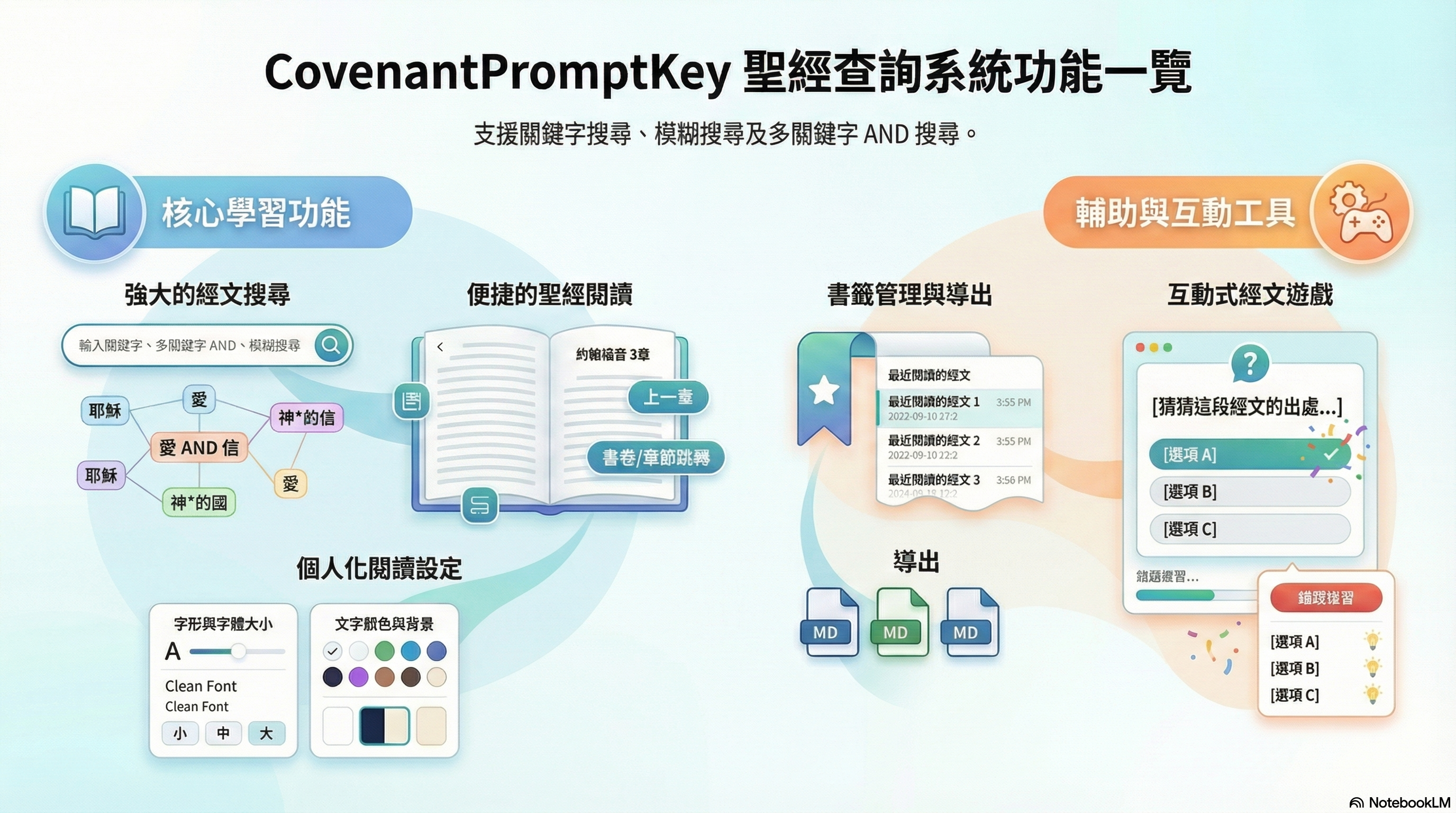
- Scripture Search: Supports keyword search, fuzzy search, multi-keyword AND search
- Bible Reading: Book navigation, chapter jumping, previous/next chapter navigation
- Reading Settings: Customize font, font size, text color, and background color
- Bookmark Management: Automatically records recently read scriptures (up to 10 entries)
- Scripture Export: Supports three types of Markdown format export
- Scripture Guessing Game: Familiarize yourself with Bible scripture references through games, includes wrong answer review feature
🛠️ Technology Stack
| Technology | Version/Description |
|---|---|
| Framework | .NET 10.0 (Preview) |
| UI Framework | Blazor WebAssembly (Primary) + Blazor Server (Legacy fallback) |
| CSS Framework | Bootstrap 5 |
| CSV Processing | CsvHelper 33.1.0 |
| Markdown Parsing | Markdig 0.44.0 |
| Bible Data | BibleData DLL (.NET Standard 2.1) |
| Storage | Browser localStorage / sessionStorage |
🚀 Quick Start
Keyword Replacement Feature
- Add Keywords: Go to the "Settings" page and add sensitive terms and their corresponding safe alternative terms
- Paste Text: Paste text containing sensitive information in the "Mask" tab on the "Replace & Restore" page
- Select Keywords: The system automatically detects and lists all keywords; you can check items you want to replace
- Execute Replacement: Click the "Execute Replacement" button to obtain the masked safe text after confirmation
- Restore Response: Paste the AI response into the "Restore" tab; the system automatically restores the alternative terms
Bible Search Feature
- Click "Bible" in the sidebar to expand the submenu
- Select "Scripture Search" to perform Scripture searching
- Select "Bible Reading" to browse specific books and chapters
- Select "Bible Game" to test your familiarity with Scripture references